 English



Portable 4K Visualizer
VIISAN P4U
4K USB Document Camera
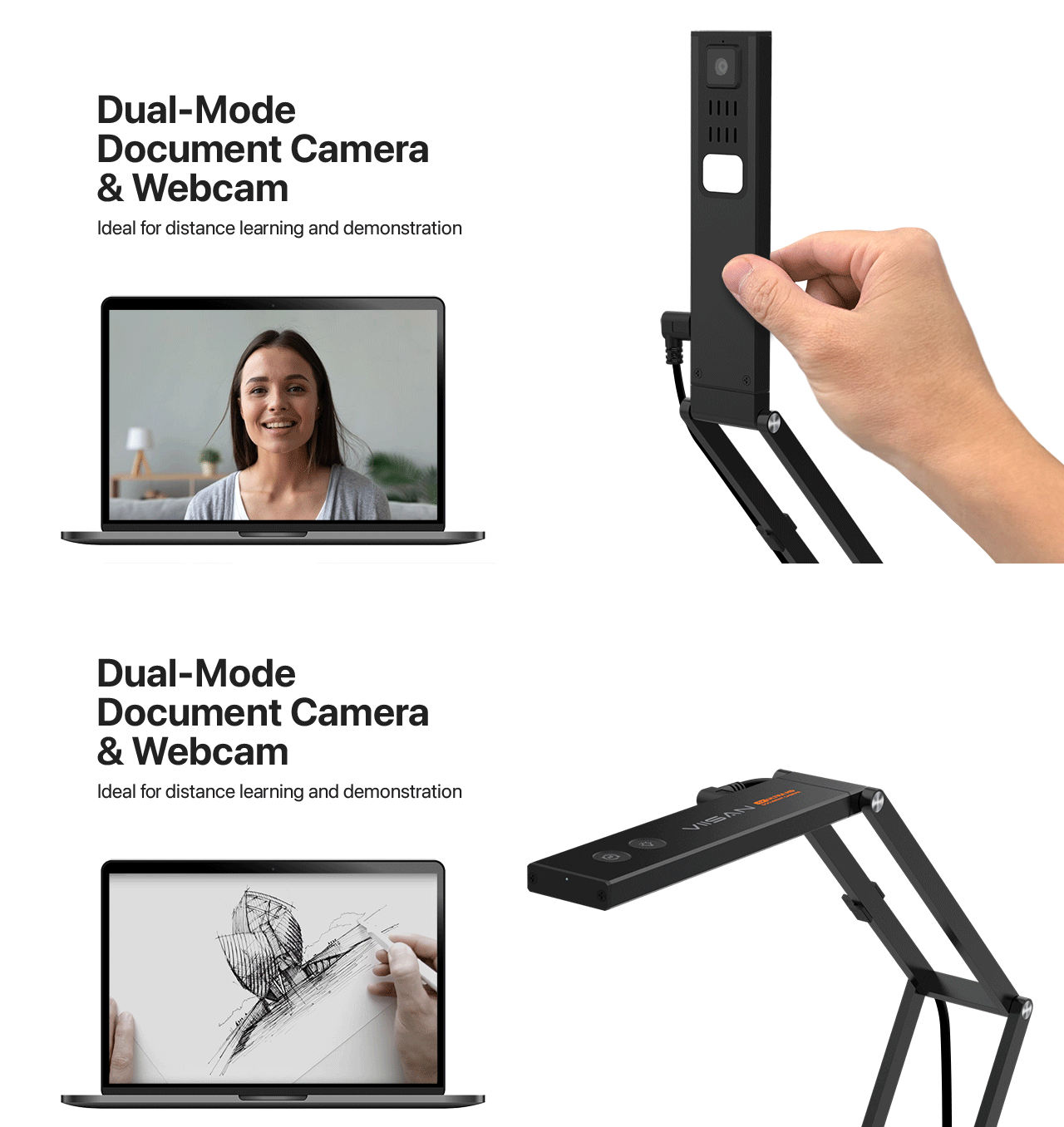
A flexible 2-in-1 visualizer for classrooms, hybrid learning, and live demonstrations. Share documents, textbooks, and objects in 4K, then adjust the camera for a presenter view.

- 4K / 30 fpsMJPEG video output
- A3 coverageAt 2048 × 1536 output
- 2-in-1Document and webcam views
- USBUVC / UAC connection
One camera. More ways to teach.
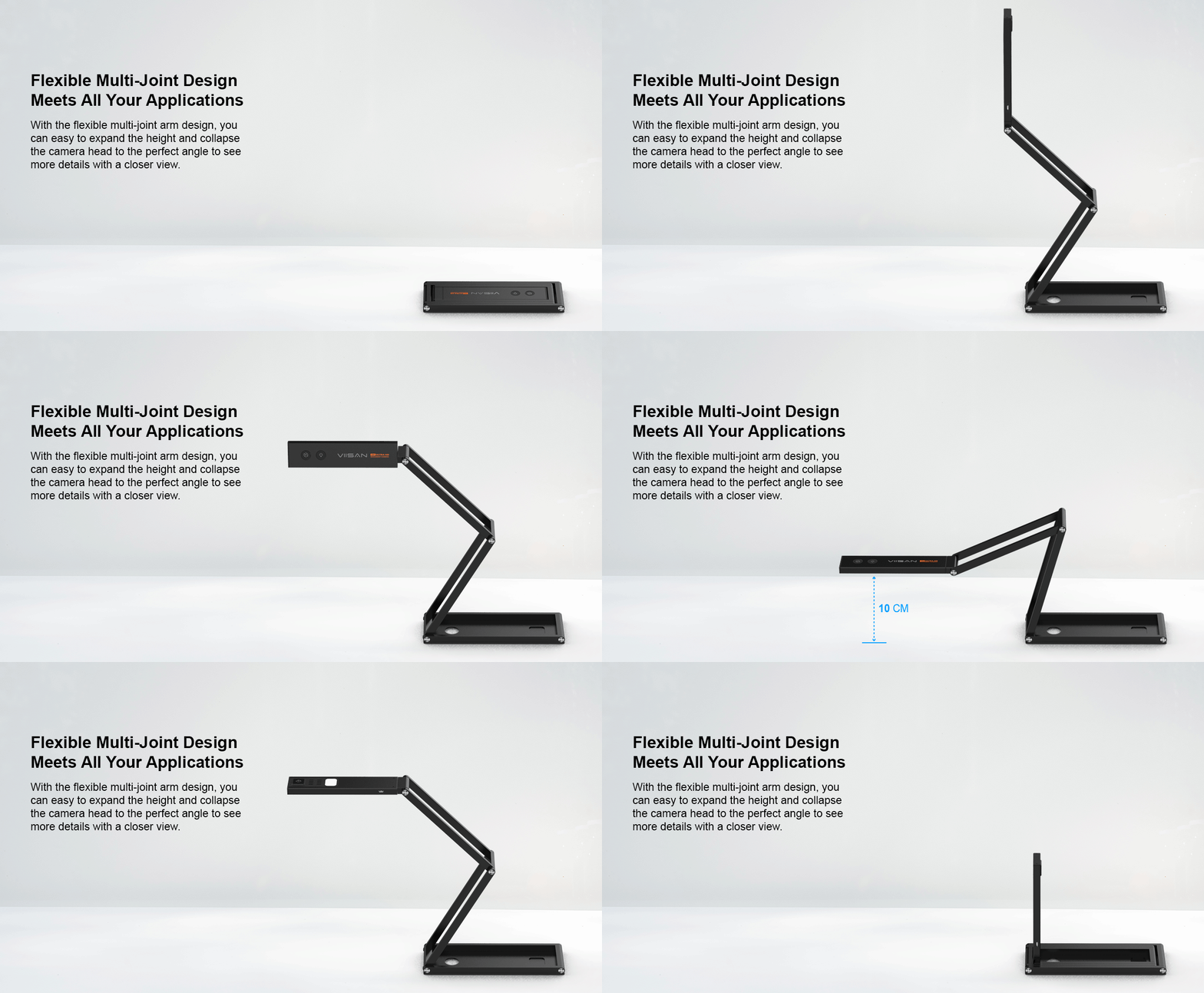
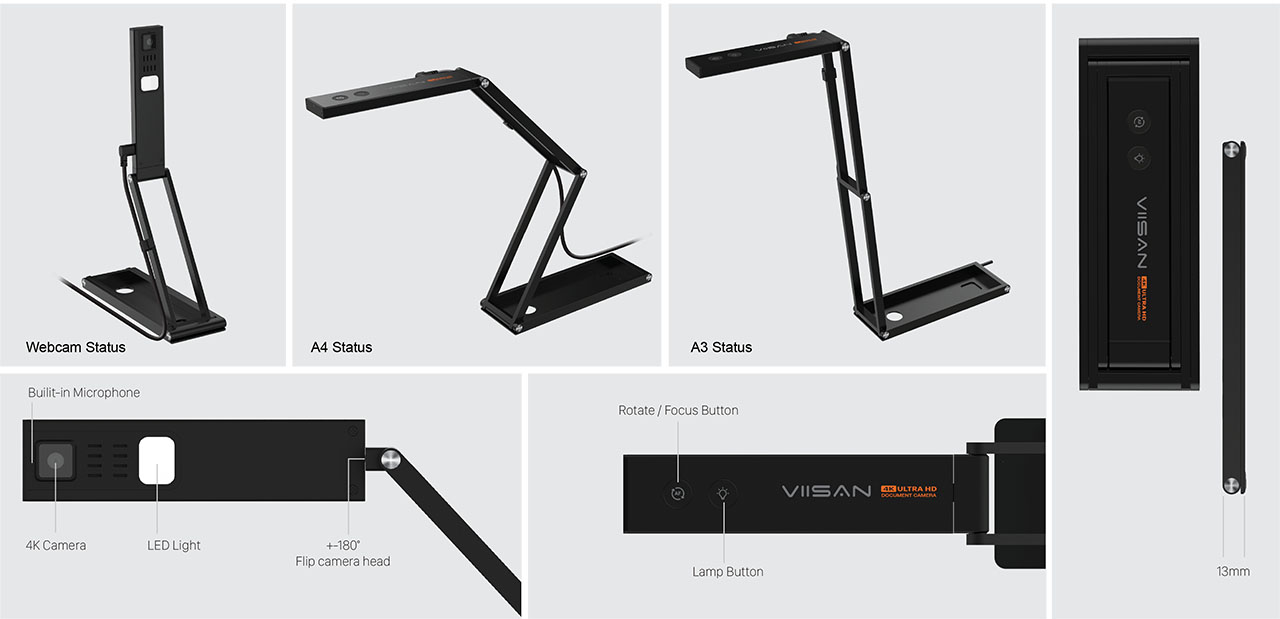
Adjust the multi-joint arm to move between an overhead document view and a presenter-facing view. Show a worksheet, explain a physical object, or speak directly to your audience from the same setup.
Show fine details in 4K.
Present printed text, diagrams, and small objects with 3840 × 2160 video at 30 fps in MJPEG mode. For demonstrations with more movement, the P4U also supports Full HD video at 60 fps.
These are camera output specifications. Conferencing applications may share video at a lower resolution or frame rate.

Bring physical materials into online lessons.
Connect the P4U to your computer and select it in a compatible video application. Share handwriting, textbook examples, and hands-on demonstrations with students or colleagues joining remotely.


Refocus and flip with one-button control.
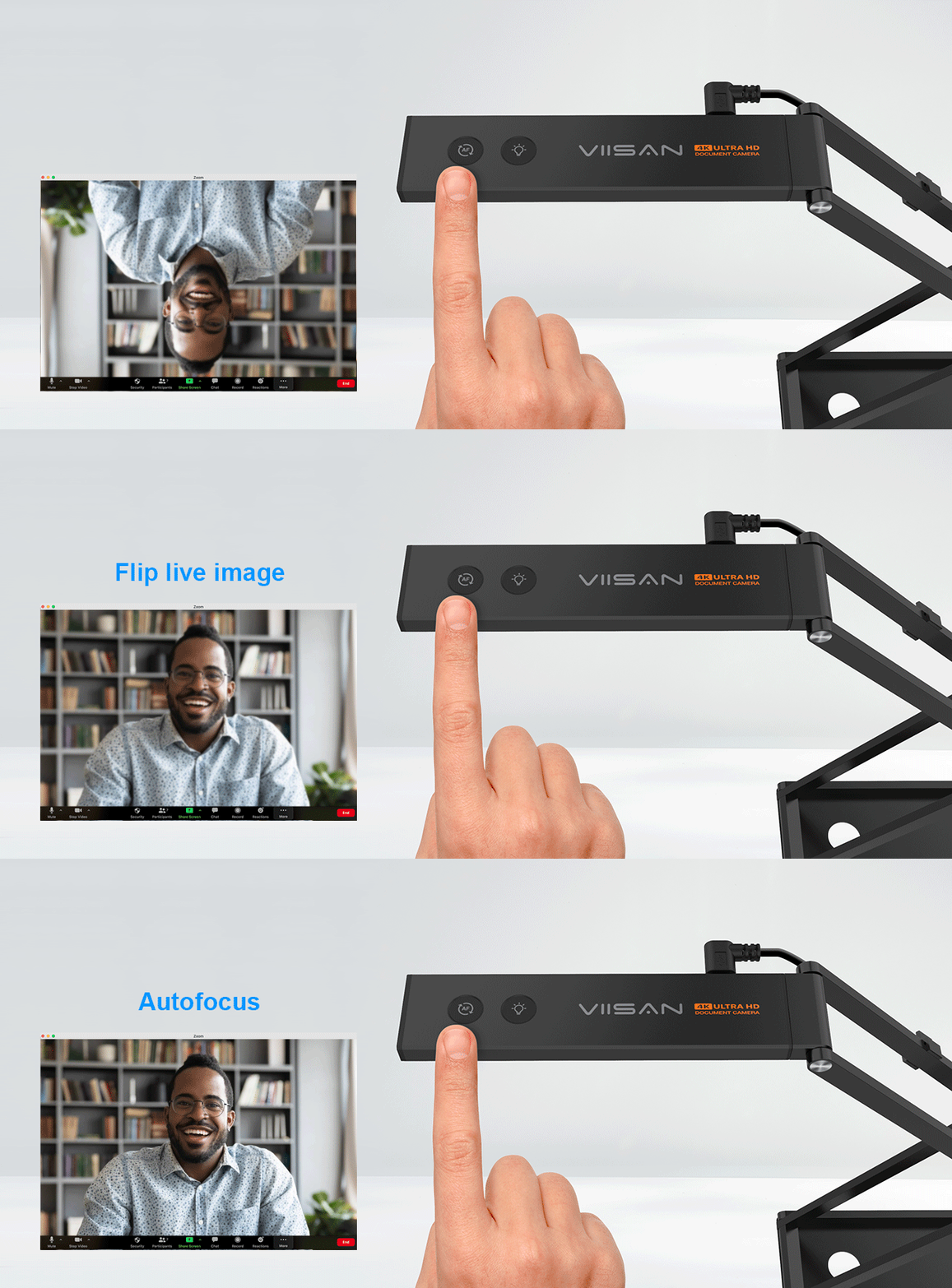
Use the camera’s button control to refocus or flip the image as you change presentation angles. Autofocus helps you move between a textbook, an object, and a presenter view.
Give larger pages room to shine.
Show A3 sheets, open books, and teaching materials with a maximum shooting area of 440 × 330 mm at 2048 × 1536 output. Adjust the arm and camera position to frame your material.

Make your lesson interactive with VisualCam.
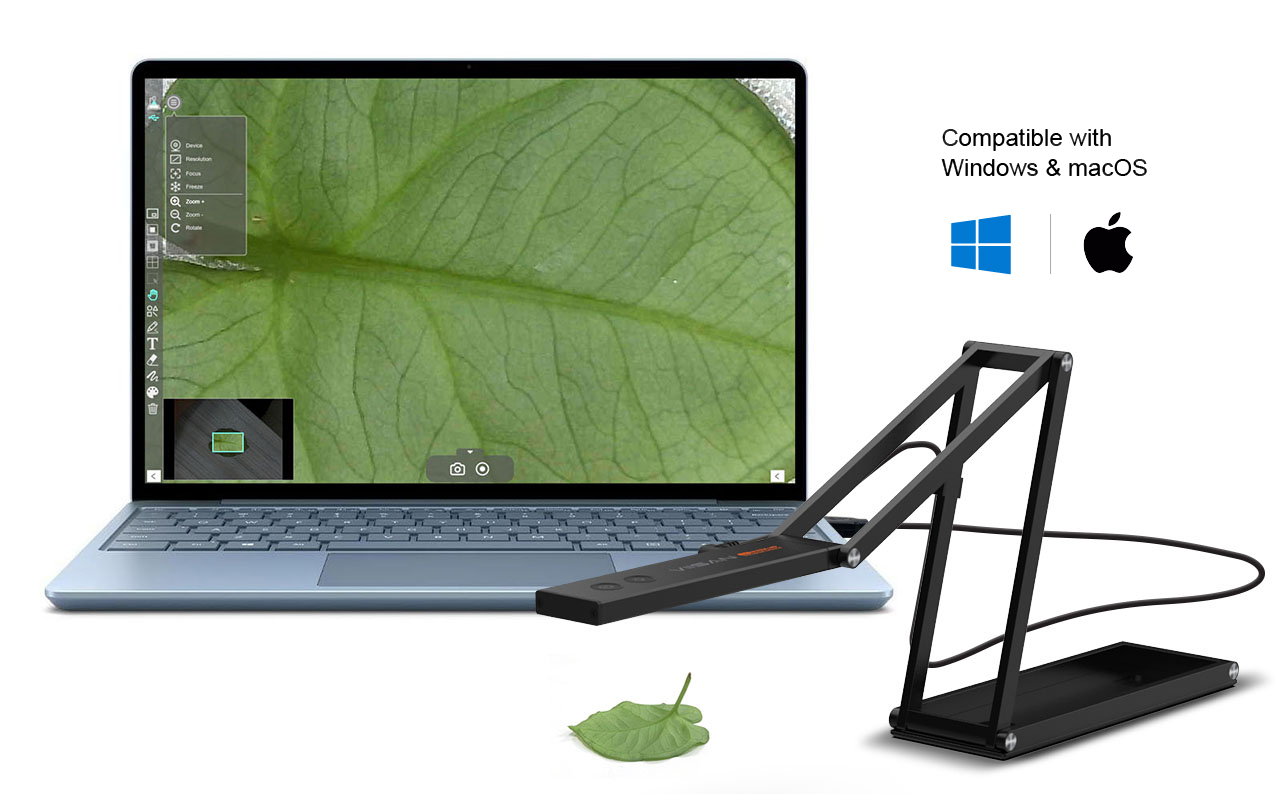
Pair the P4U with VIISAN VisualCam to annotate live content, compare images side by side, record with picture-in-picture, and explain ideas on an interactive whiteboard.
Explore VisualCam Features and Downloads
VisualCam has separate Windows and macOS system requirements. Check the current software version for platform-specific features and compatibility.
Watch the P4U in action.
See the camera’s adjustable design and presentation workflow in the product demonstration.
P4U technical specifications.
| Model | VIISAN P4U |
|---|---|
| Product type | 2-in-1 USB document camera / visualizer |
| 4K video output | 3840 × 2160 at 30 fps (MJPEG) |
| Full HD video output | 1920 × 1080 at 60 fps (MJPEG) |
| Maximum shooting area | 440 × 330 mm at 2048 × 1536 output; accommodates A3 |
| Focus and image rotation | Autofocus; 0° / 180° image rotation |
| Lighting and audio | LED light; built-in omnidirectional microphone |
| Connection and power | USB 2.0; USB-powered (5V / 500mA) |
| Protocols | UVC / UAC |
| Camera operating systems | Windows, macOS, Chrome OS (UVC camera use) |
Maximum capture area applies to the output mode stated above. Software compatibility and shared video quality depend on the operating system and application.
For manuals and software, use the Download tab on this product page.
Frequently asked questions.
What is the VIISAN P4U used for?
The VIISAN P4U is a portable USB document camera for presenting documents, books, and objects in classrooms, remote lessons, and live demonstrations. Its adjustable camera head also supports webcam-style communication.
Does the P4U support 4K at 30 fps?
Yes. The P4U supports 3840 × 2160 at 30 fps in MJPEG mode. It also supports 1920 × 1080 at 60 fps. Available resolution and frame rate depend on the selected video format, application, and computer.
Can the P4U display A3 documents?
Yes. Its maximum shooting area is 440 × 330 mm at 2048 × 1536 output, which accommodates an A3 sheet. The visible capture area varies with camera position and output mode.
Does the P4U work with Windows, macOS, and Chrome OS?
The P4U supports UVC camera use on Windows, macOS, and Chrome OS. VisualCam software has separate Windows and macOS requirements; check the current download information before installation.
How do I use the P4U for online teaching?
Connect the P4U to your computer by USB, allow camera and microphone access, and select it as the camera in your conferencing application. Position the camera head over your teaching materials. The selected application determines the resolution shared with participants.
What does VisualCam add to the P4U?
VisualCam adds live annotation, split-screen comparison, picture-in-picture recording, and an interactive whiteboard. Feature availability may vary by software version and operating system.
Ready to make every demonstration clearer?
Talk to VIISAN about the P4U for your classroom, training space, or remote teaching setup.

