 English



Visualizer Software for IFPDs
ViiShow Visualizer Software for Interactive Classrooms
ViiShow helps teachers display live document camera content, annotate lessons, compare images, guide student attention, and record teaching activities on Interactive Flat Panel Displays.
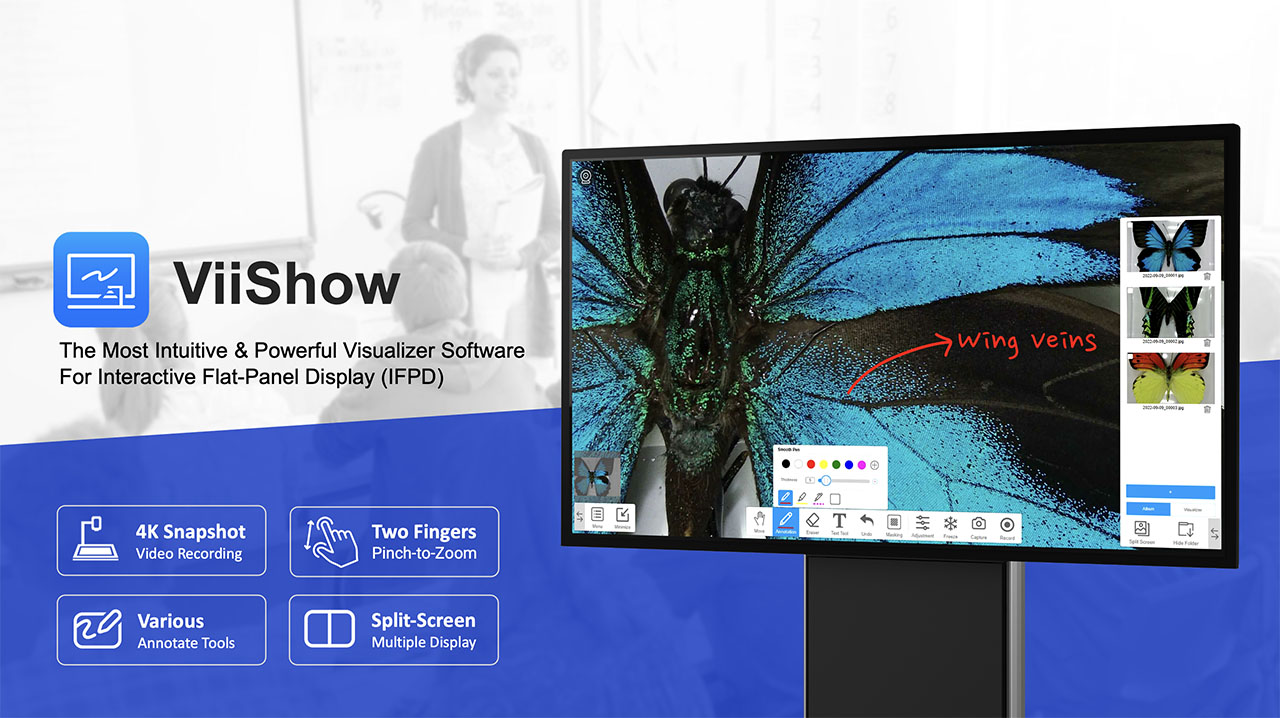
Turn Physical Teaching Materials into Interactive Digital Lessons
Designed for classrooms, training rooms, and hybrid learning spaces, ViiShow works with VIISAN document cameras and interactive flat panels to help teachers present physical materials, annotate live content, compare images, record lessons, and guide student attention more effectively.
Touch Interaction
Zoom, move, and control live document camera images directly on the interactive flat panel.
Snapshot Tools
Capture, crop, annotate, and save teaching materials instantly for lesson preparation and review.
Split-Screen View
Compare multiple images or camera feeds side by side for experiments, reviews, and demonstrations.
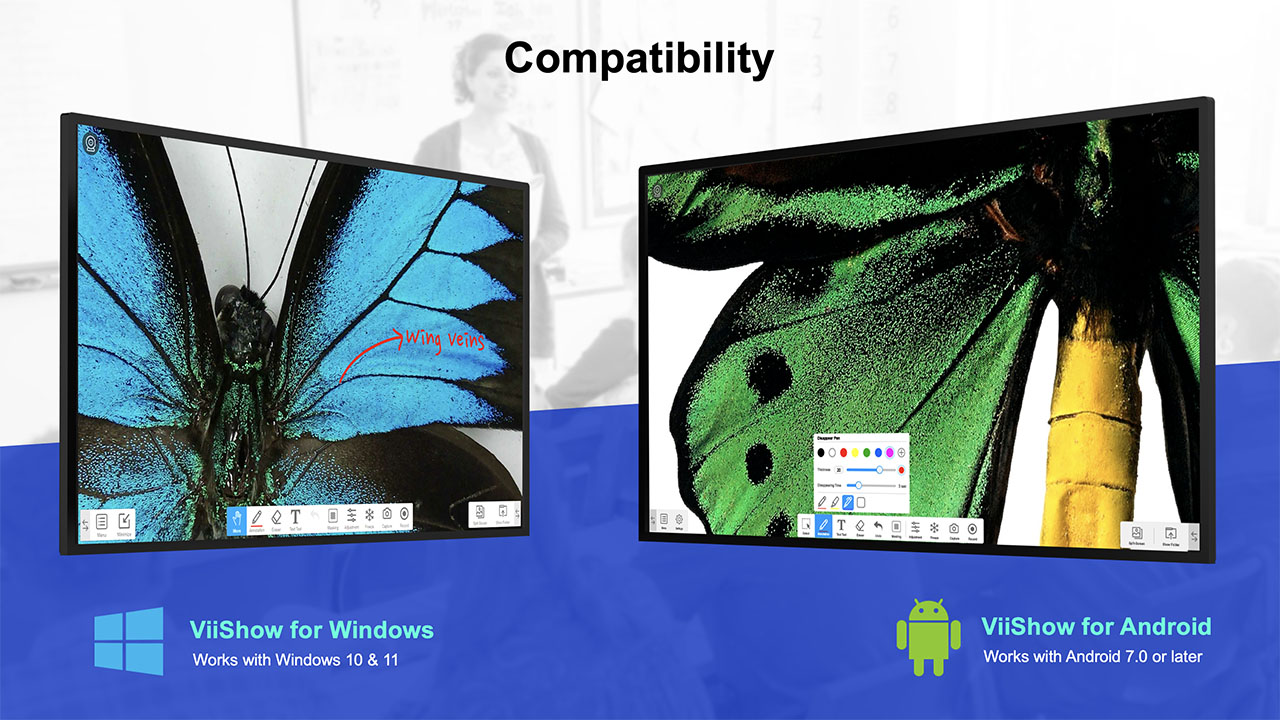
Download ViiShow for Android
Install ViiShow on compatible Android-based interactive flat panels to enable live visualizer teaching, multi-touch operation, annotation, snapshot capture, split-screen comparison, and classroom recording features.
Download Android APKTouch Operation
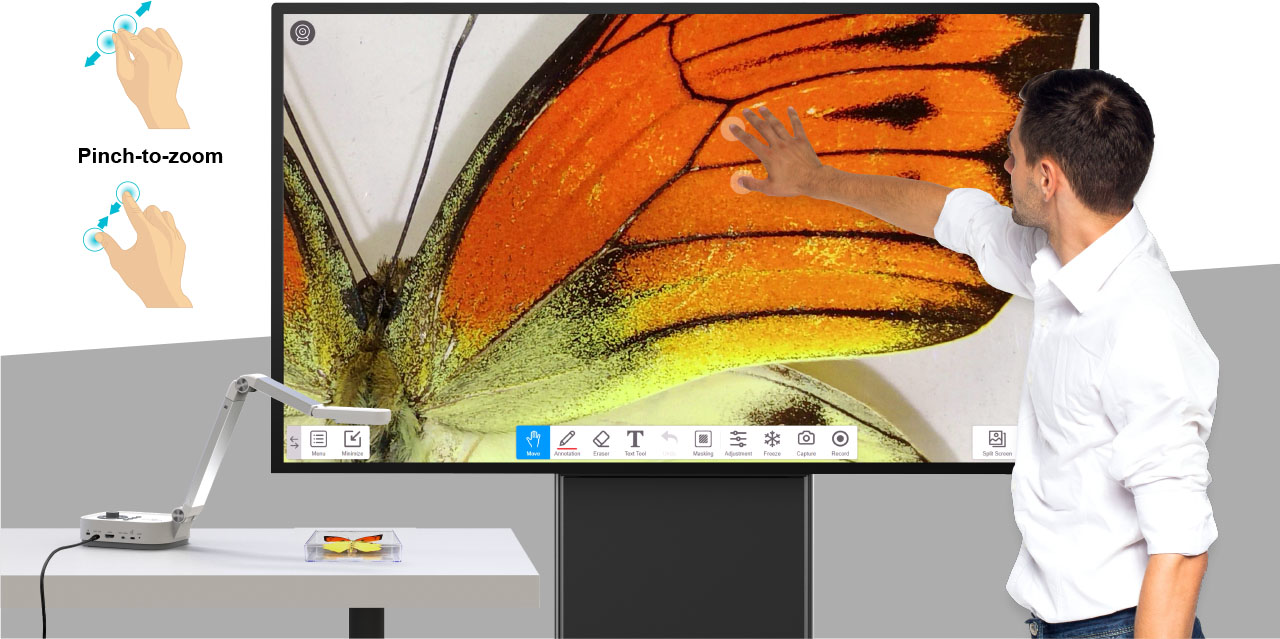
Multipoint Simultaneous Touch and Easy Zoom
With pinch-to-zoom gestures, teachers can zoom in and out using two fingers on the touch screen. Live images can also be moved smoothly with palm gestures, making it easier to focus on small details during lessons.
Snapshot Capture
Multiple Snapshot Modes for Classroom Materials
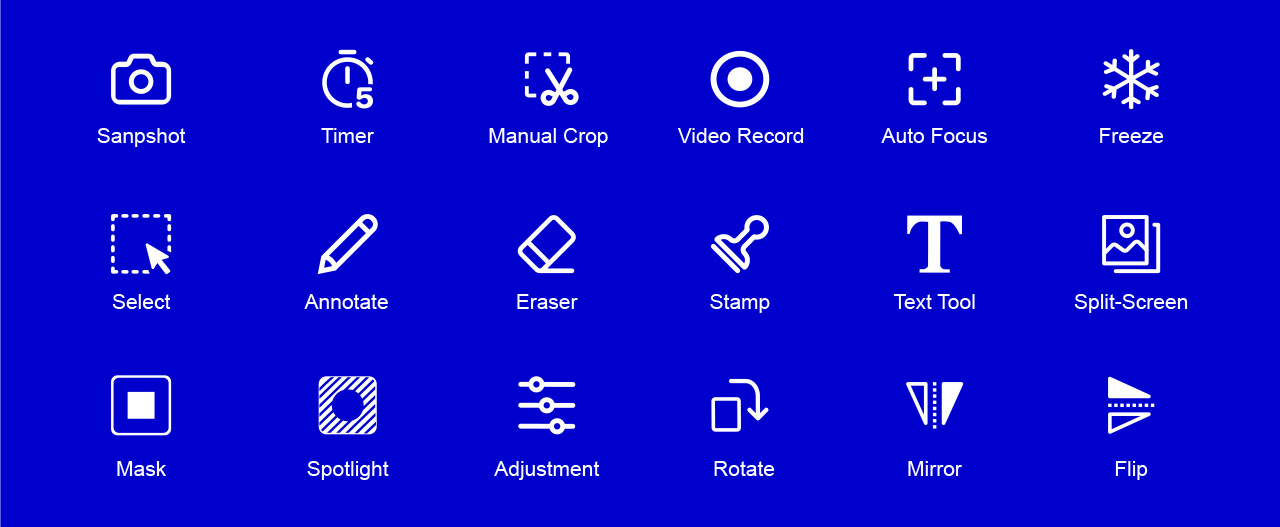
Capture full-screen images, set timer shooting, crop specific areas, and annotate live images before saving snapshots. These tools help teachers turn live demonstrations into reusable teaching resources.
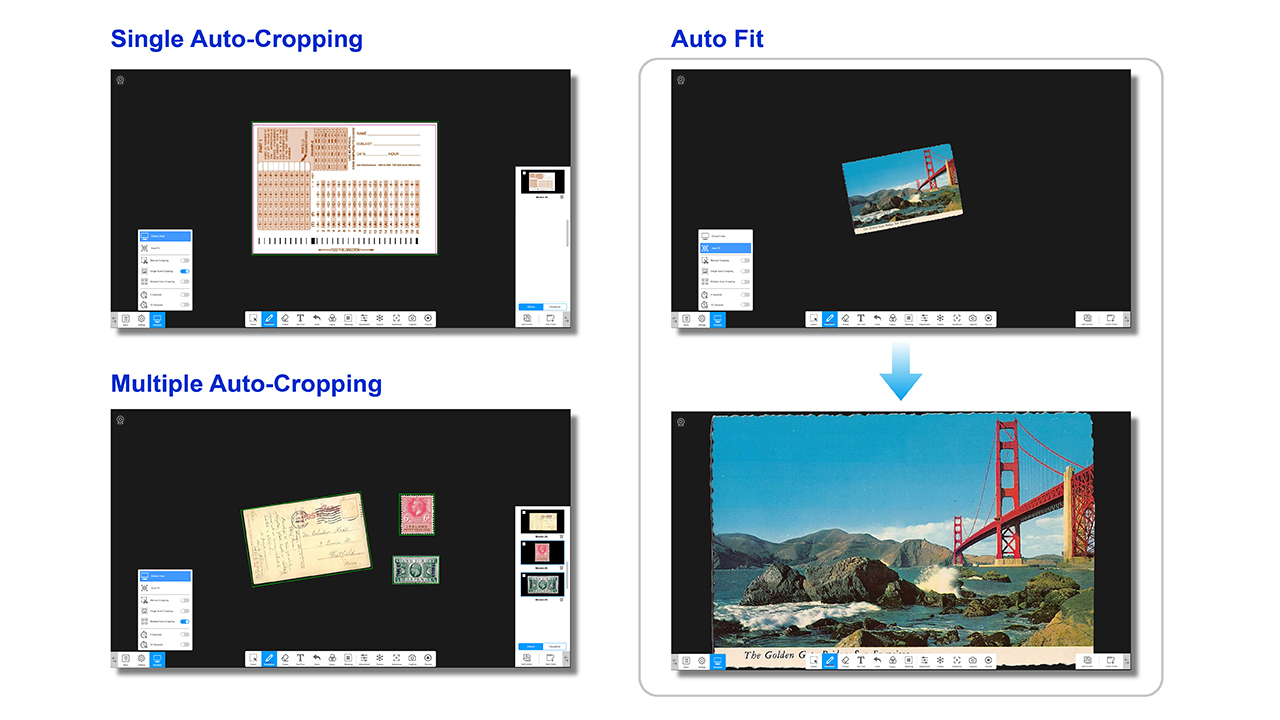
Auto Fit and Crop
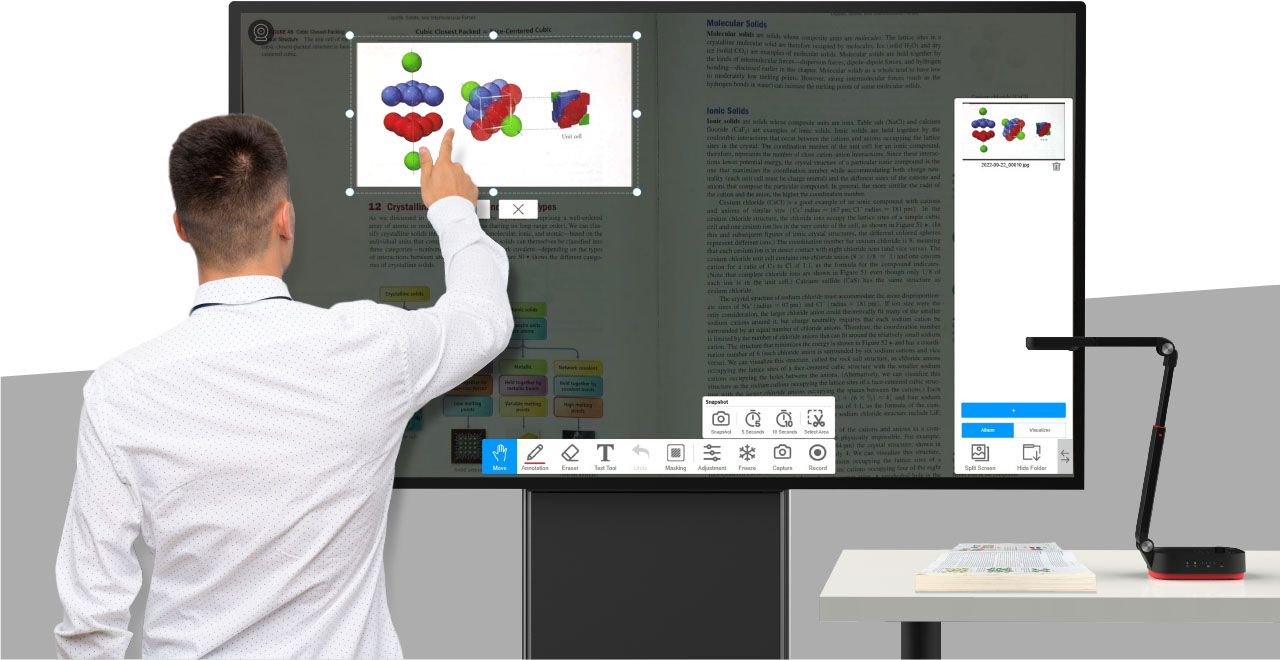
Auto Fit and Crop with Precision
Intelligent Auto Fit automatically scales documents for optimal viewing on the interactive display. Teachers can use single or multiple cropping modes to focus on key sections of worksheets, books, objects, and classroom materials.
Annotation Tools
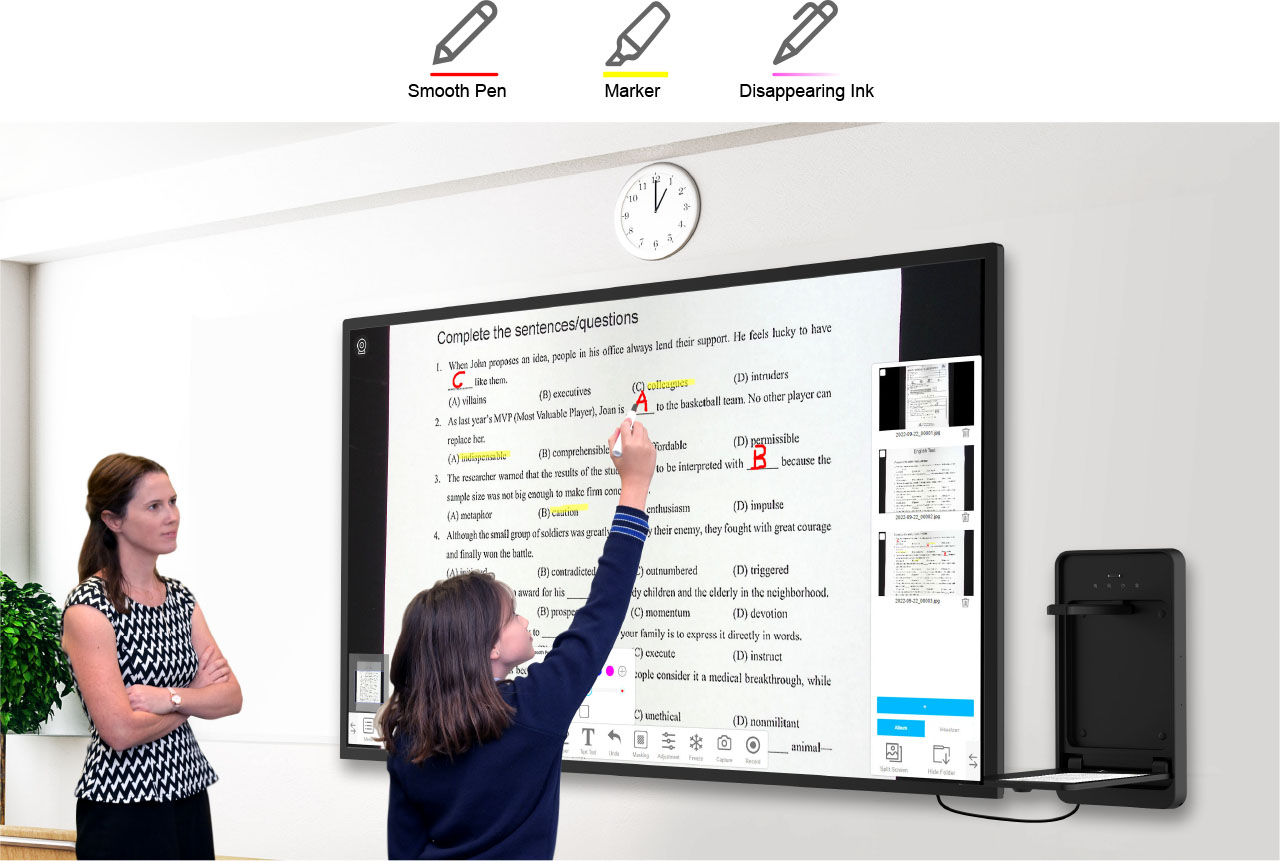
Various Annotation Tools for Interactive Teaching
Use different pen tools, colors, thickness settings, and disappearing ink effects to annotate live images during lessons, tests, explanations, or student discussions.
Comparison Mode
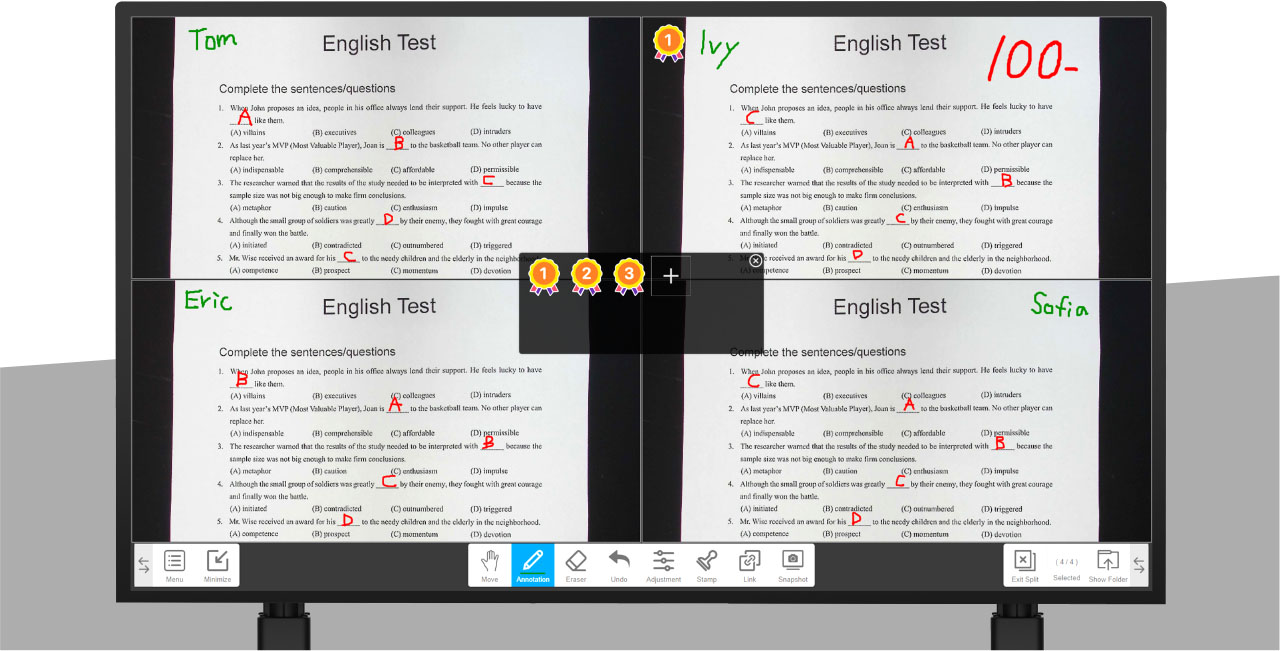
Split-Screen Comparison for Better Explanation
Compare multiple images or connect two document cameras to present side-by-side or quad-view content on your interactive flat panel. This is useful for before-and-after comparison, student work review, experiments, and object demonstrations.
Focus Tools
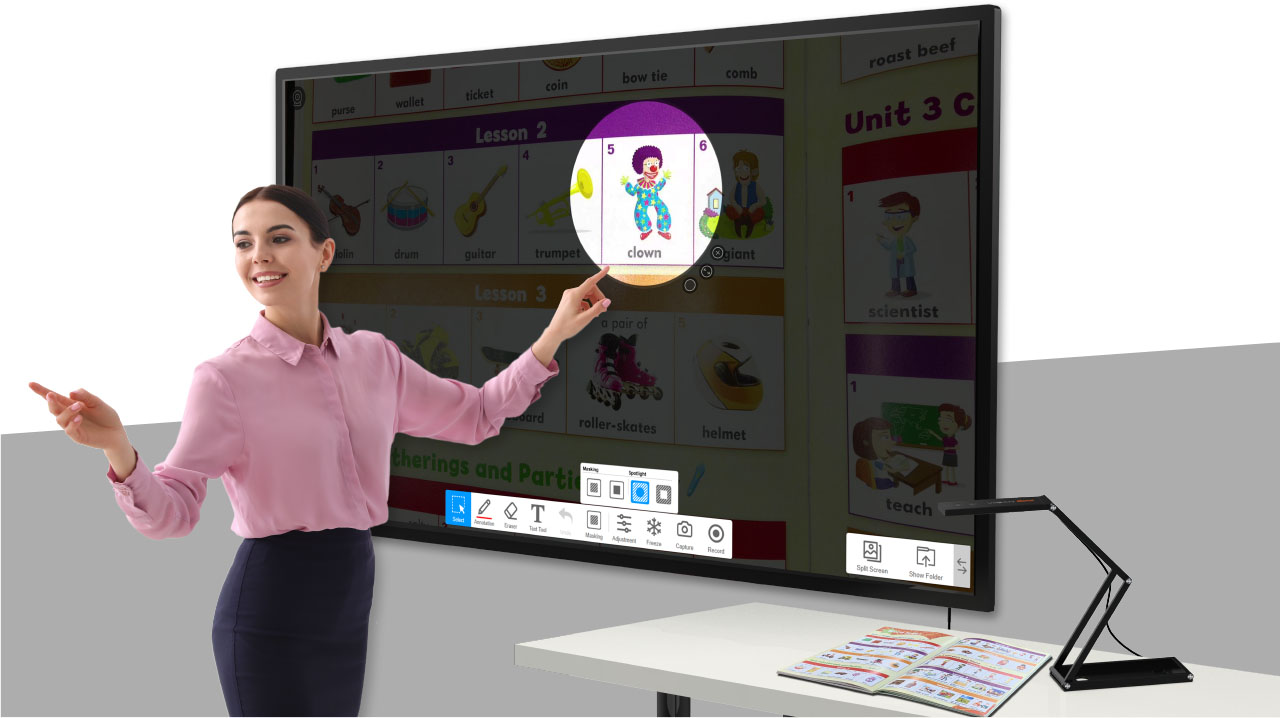
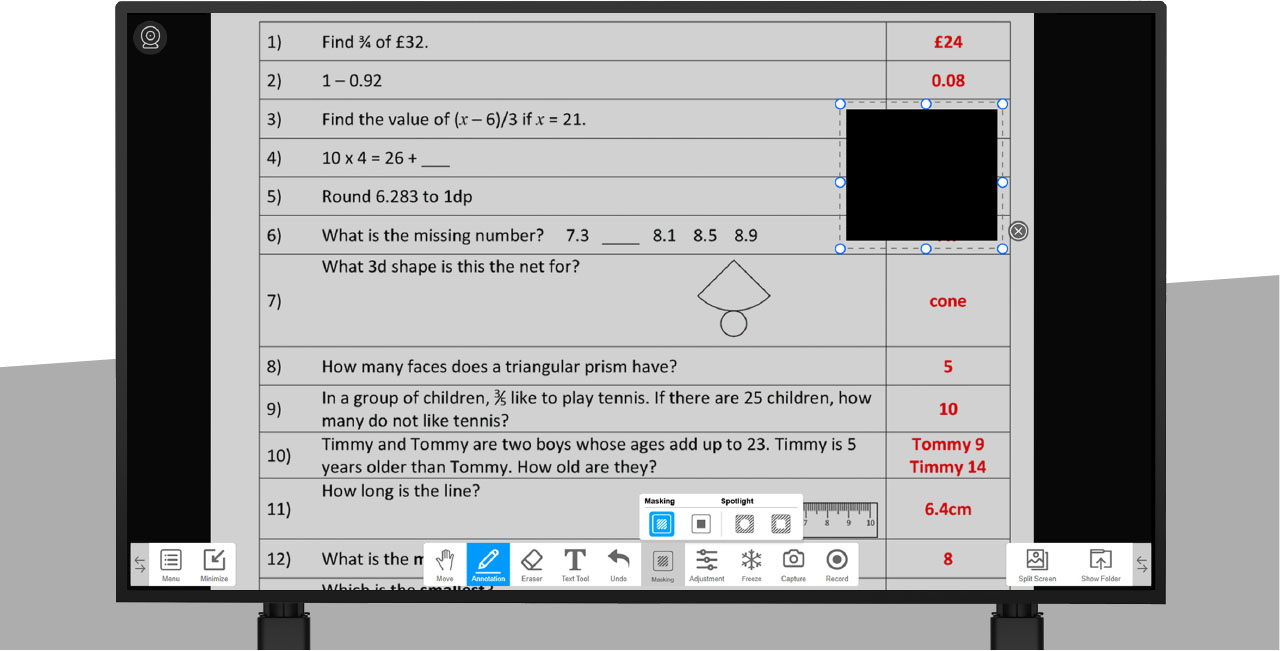
Spotlight and Masking Tools to Guide Attention
Highlight key areas using Spotlight or conceal parts of the material with the Mask feature. These tools help teachers control what students focus on during step-by-step explanations and classroom presentations.
Recording
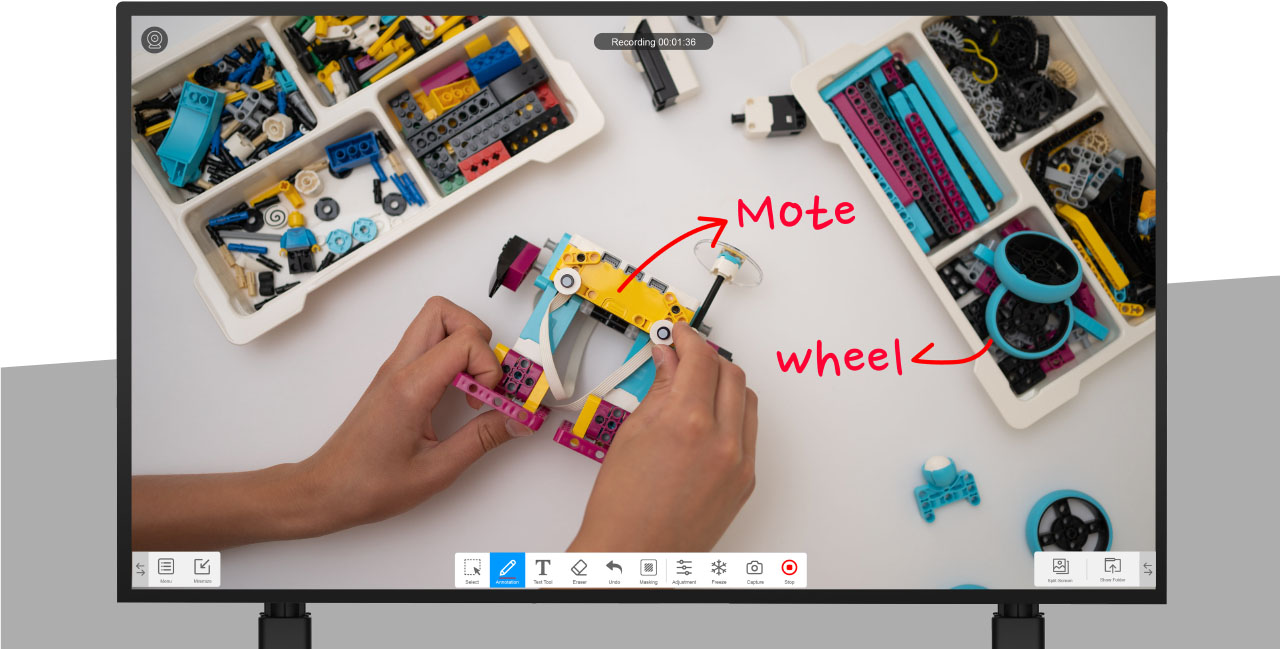
Video Recording for Lesson Review and Distance Learning
Record onscreen activities and save them in MP4 format for lesson review, distance learning, flipped classroom content, or training material creation.
Teaching Workflow
Designed for Document Cameras and Interactive Flat Panels
ViiShow brings document camera content directly onto the interactive display, allowing teachers to teach, annotate, compare, capture, record, and interact with physical materials in a more natural digital classroom workflow.
For Classrooms
Display textbooks, worksheets, objects, and experiments clearly on the interactive display.
For Hybrid Learning
Record and share visual explanations for students joining remotely or reviewing after class.
For Training Rooms
Use annotation, spotlight, crop, and comparison tools to explain procedures and materials more clearly.
FAQ
Common questions about ViiShow visualizer software for interactive classrooms.
What is ViiShow used for?
ViiShow is used to display live document camera content on interactive flat panels, annotate teaching materials, capture snapshots, compare images, guide student attention, and record lessons.
Which devices is ViiShow designed for?
ViiShow is designed for compatible Android-based Interactive Flat Panel Displays and works with VIISAN document cameras for classroom visualization.
Does ViiShow support annotation?
Yes. ViiShow supports annotation tools including pen tools, color options, thickness settings, and disappearing ink effects for interactive teaching.
Can ViiShow record lessons?
Yes. ViiShow can record onscreen teaching activities and save them as MP4 videos for review, flipped classrooms, distance learning, and training content.
Make Classroom Visualization More Interactive
With multi-touch control, snapshot capture, annotation tools, auto fit, cropping, split-screen comparison, spotlight, masking, and MP4 recording, ViiShow helps teachers turn physical teaching materials into interactive digital learning experiences.
Download Android APK