 English


Smart Meeting Room Technology
What is BYOM? How VIISAN IFPD Solutions Help Build Smarter Meeting Rooms
BYOM, or Bring Your Own Meeting, allows users to run meetings from their own laptops while using the meeting room’s display, camera, microphone, and speaker system. It gives teams a more flexible way to start video meetings, share content, and collaborate across different conferencing platforms.
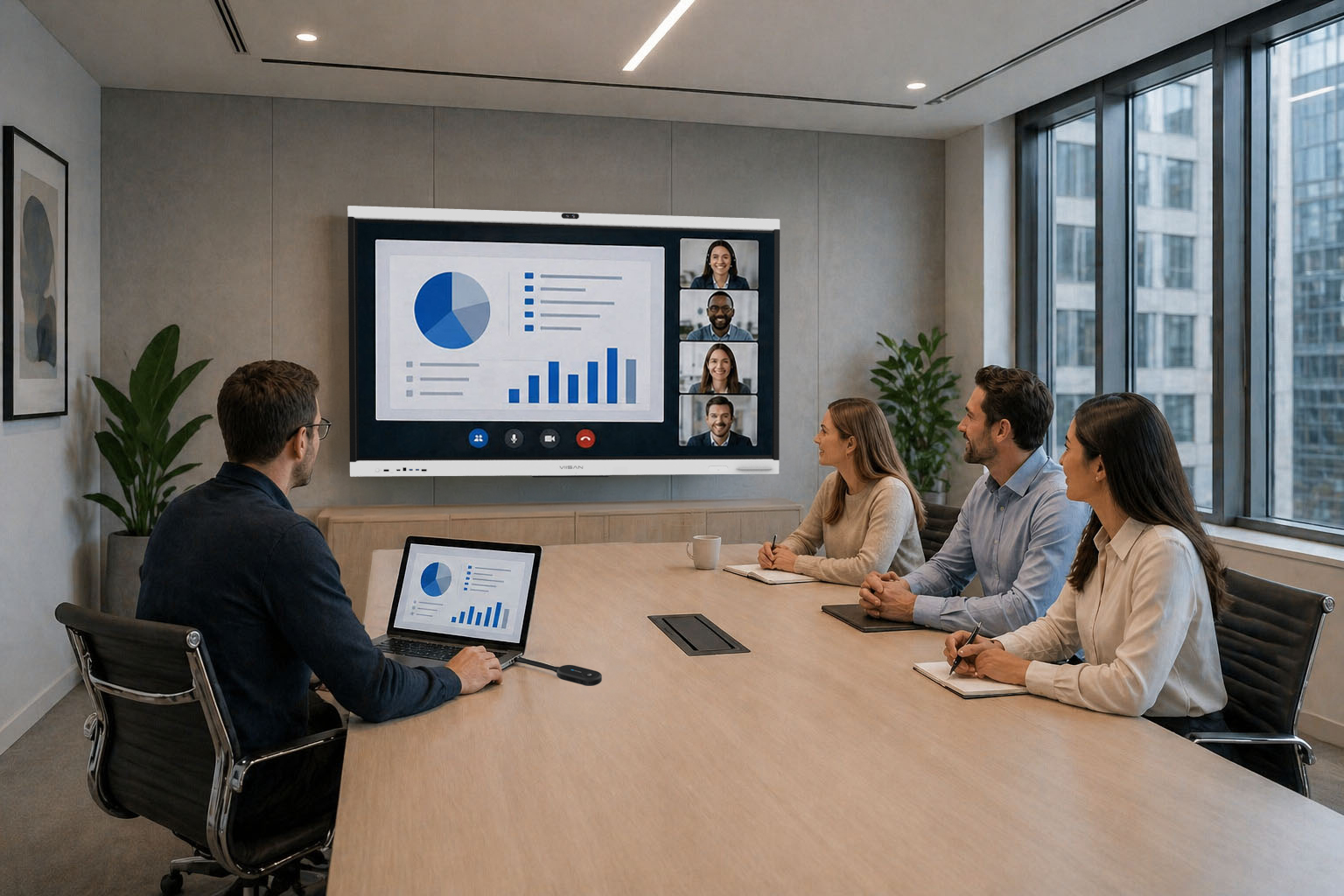
Modern meeting rooms need to support different users, devices, and conferencing platforms. Instead of relying only on a fixed room PC or pre-installed meeting software, many organizations now prefer a more flexible setup where users can bring their own laptops and start meetings with the tools they already use.
This is where BYOM becomes important. A BYOM-ready meeting room allows a laptop to connect with the room display and shared USB peripherals, so users can present content and run video meetings more naturally.
What is BYOM?
BYOM stands for Bring Your Own Meeting. It means users can use their own laptop as the main meeting device while connecting to the meeting room’s shared equipment.
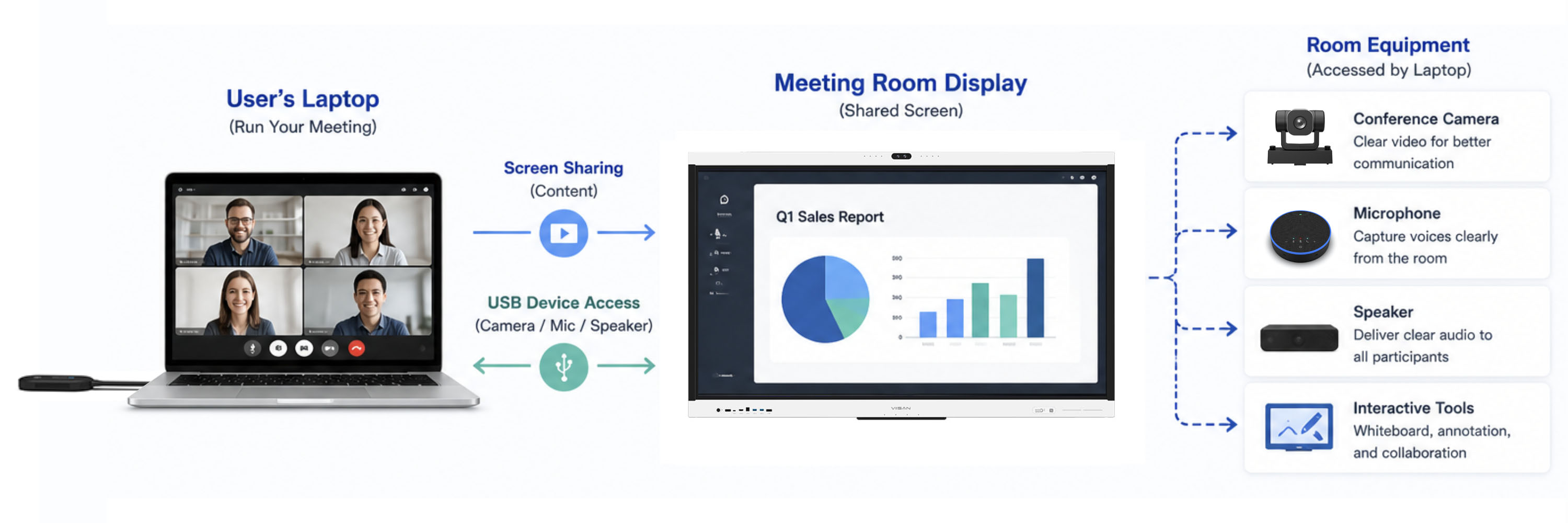
In a BYOM setup, the laptop is responsible for running the meeting software, while the room provides the larger display, camera, microphone, speaker, and collaboration tools.
This means users can join Zoom, Microsoft Teams, Google Meet, or other platforms from their own laptop, while still using the meeting room’s professional AV devices.
Why BYOM Matters in Modern Meeting Rooms
Hybrid work has made meeting rooms more complex. Teams need to connect in-room participants with remote users, support different meeting platforms, and reduce setup time before every meeting. BYOM helps simplify this experience.
Greater Platform Flexibility
Users can join meetings with Zoom, Microsoft Teams, Google Meet, or other platforms directly from their own laptops.
Faster Meeting Start Time
BYOM reduces time spent switching inputs, logging into room accounts, or adjusting meeting software settings.
Familiar User Experience
Users can stay with their own laptop, own files, and preferred conferencing workflow.
Better Hybrid Meeting Quality
Users can use the room’s professional camera, microphone, and speaker instead of relying on laptop hardware.
How BYOM Works
A BYOM-enabled meeting room needs two core capabilities: content sharing and USB device access. Content sharing sends the laptop screen to the display, while USB device access allows the laptop to use the room’s camera, microphone, and speaker.
- Screen Sharing: Sends laptop content to the meeting room display.
- Camera Access: Allows the laptop to use the room camera through UVC.
- Audio Access: Allows the laptop to use the room microphone and speaker through UAC.
- Room Integration: Requires USB bridge, USB pass-through, or BYOM-ready system design.
How VIISAN IFPD Solutions Support BYOM Scenarios
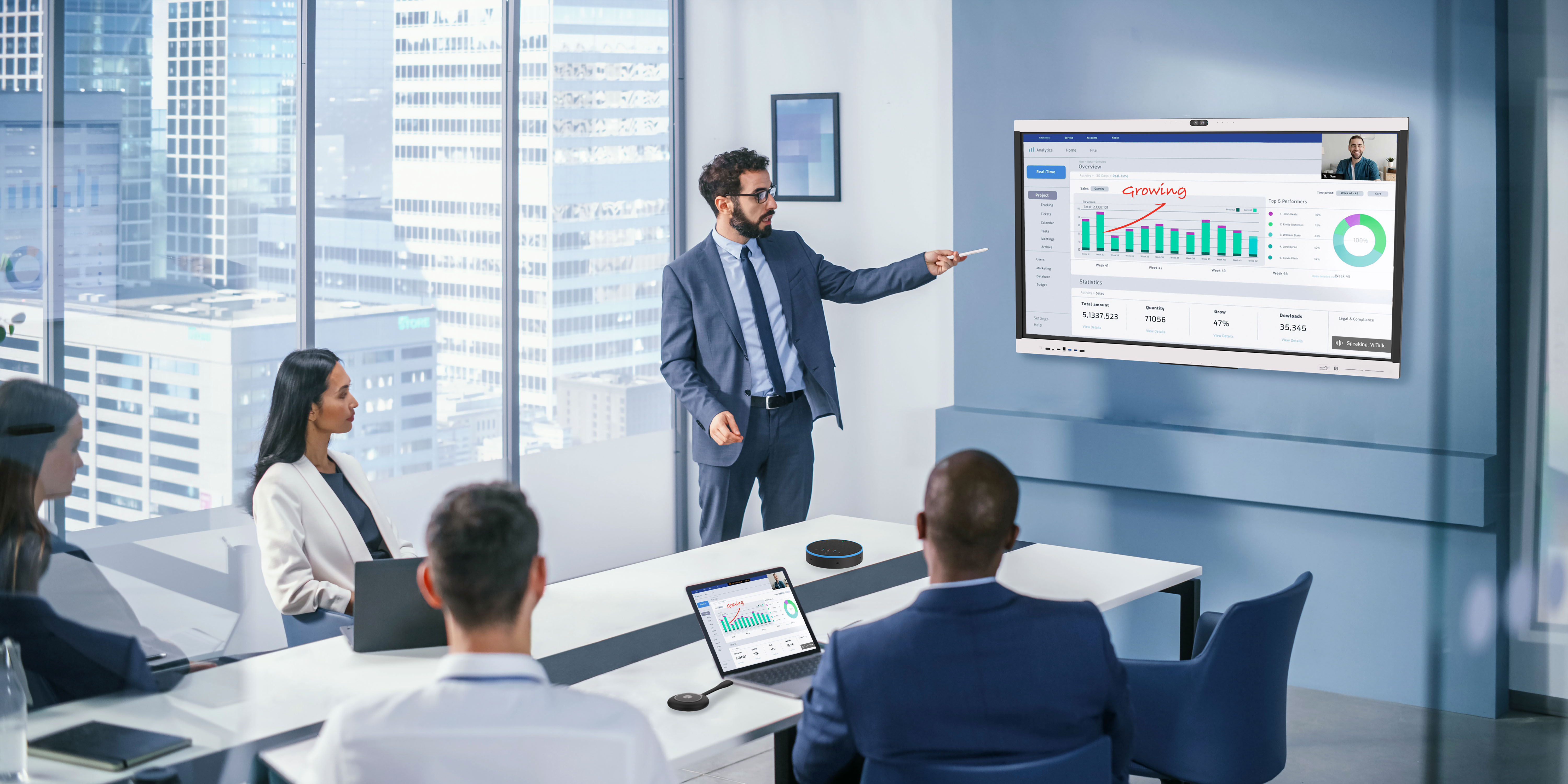
VIISAN provides interactive flat panel displays and meeting room accessories designed for smart collaboration spaces. With the ViiHub Series, organizations can build rooms that combine interactive display, camera, microphone, speaker, wireless sharing, and whiteboard collaboration in one meeting environment.
For BYOM scenarios, this helps users connect their laptops more easily while taking advantage of the room’s professional meeting equipment.
ViiHub Series: A Smarter Foundation for Hybrid Collaboration
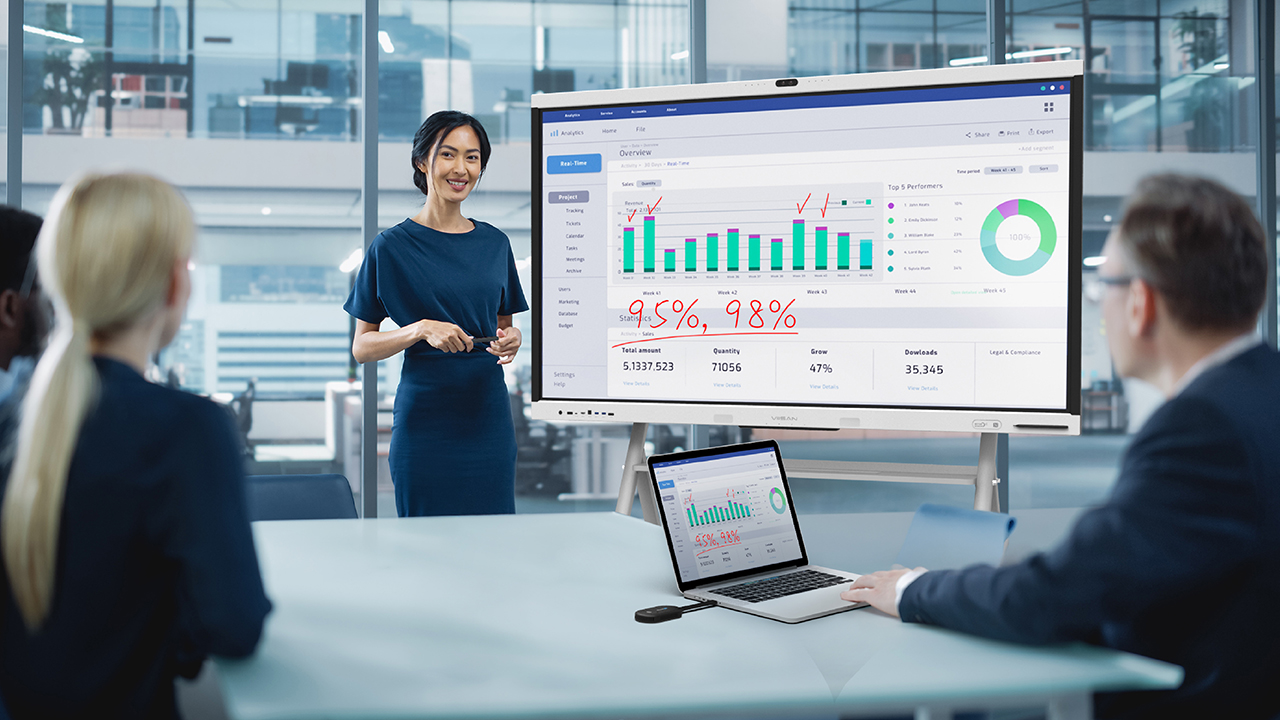
The VIISAN ViiHub Series is designed for modern business meeting rooms, boardrooms, training spaces, and hybrid collaboration environments.
Interactive Display
Large-format touch display for presentations, annotation, whiteboarding, and collaboration.
AI Camera System
Integrated camera options help improve room visibility for remote participants.
Microphone Array
Built-in audio pickup helps capture voices more clearly during hybrid meetings.
Wireless Sharing
Supports flexible content sharing from laptops and mobile devices.
Whiteboard Tools
Interactive whiteboard functions help teams explain ideas and collaborate visually.
Peripheral Expansion
Camera, microphone, speaker, and wireless accessories help support different room setups.
Wireless Screen Sharing Dongles and BYOM
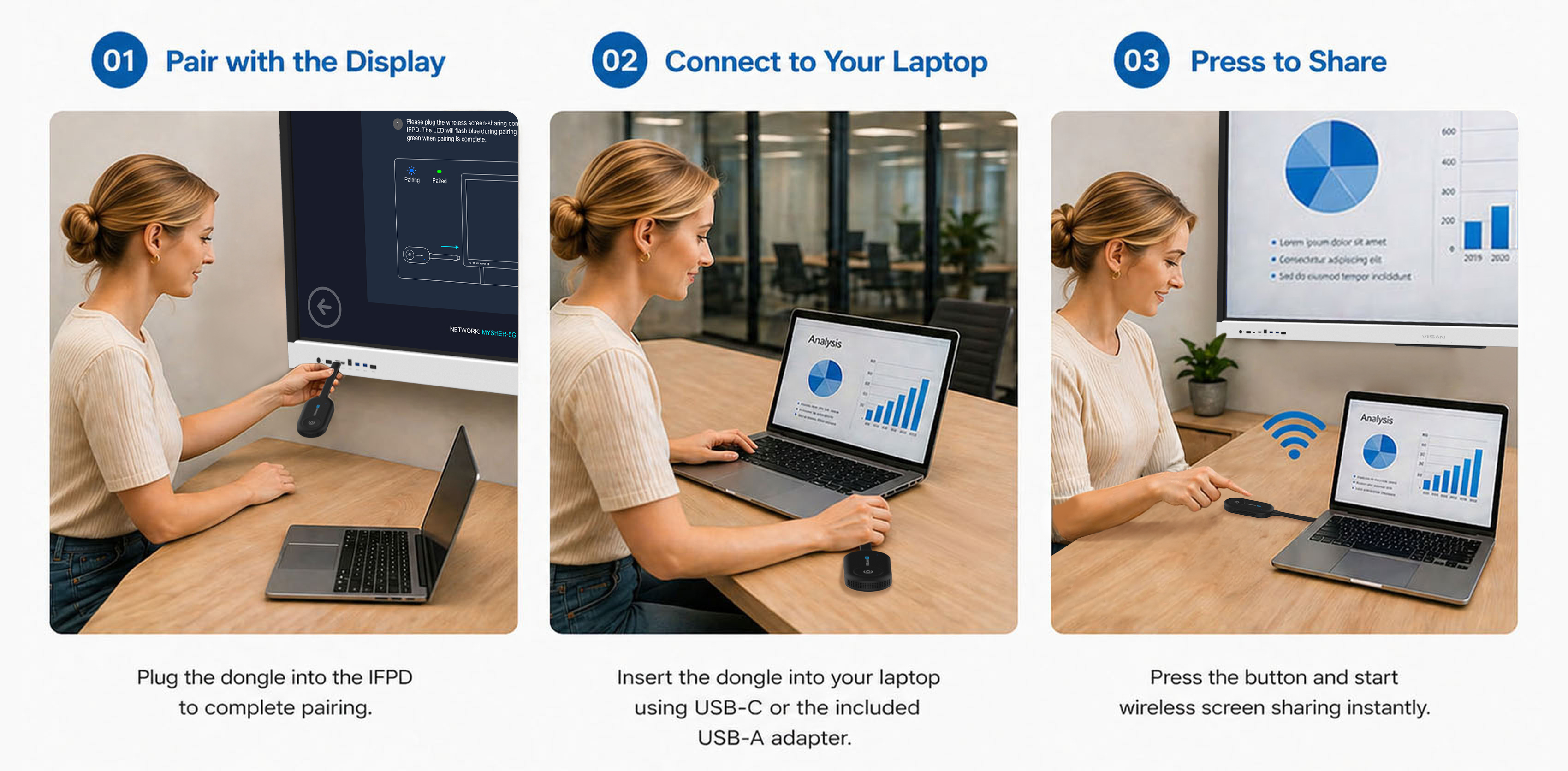
Wireless screen sharing dongles help users present content from their laptops more easily. For VIISAN meeting room solutions, a device such as the GT282C 4K Wireless Screen Sharing Dongle can help create a cleaner and faster laptop-to-display workflow.
- USB-C plug-and-play connection
- 4K wireless screen sharing
- Fast pairing for meeting rooms
- Touchback control, depending on system support
BYOM vs. Traditional Meeting Room Systems
| Feature | Traditional Room System | BYOM Meeting Room |
|---|---|---|
| Main meeting device | Room PC or fixed system | User laptop |
| Platform flexibility | Limited by room setup | User can choose any platform |
| User experience | Fixed room interface | Familiar laptop workflow |
| External guest support | May require extra setup | Easier to join using meeting links |
| Setup time | May require configuration | Faster and more flexible |
Where BYOM is Most Useful
Corporate Meeting Rooms
Employees can connect laptops quickly and use familiar meeting tools with room-level AV devices.
Boardrooms
Executives and guests can start meetings with less setup and fewer technical barriers.
Hybrid Workspaces
Shared office spaces can support different users, platforms, and meeting types.
Training Rooms
Presenters can use their own laptops while using the room display and audio/video equipment.
VIISAN BYOM-Ready Meeting Room Ecosystem
A strong BYOM experience depends on more than one device. It requires a complete meeting room ecosystem that connects display, camera, audio, screen sharing, and collaboration tools.
ViiHub Series IFPDs
Interactive flat panel displays for smart meeting rooms and collaboration spaces.
AI Camera and Mic System
Integrated camera and microphone configurations improve hybrid meeting clarity.
ViiTalk Rooms
Integrated video conferencing support for smart collaboration environments.
ViiBoard Whiteboard
Remote interactive whiteboard functions support visual discussion and annotation.
GT282C Dongle
Wireless screen sharing dongle for faster laptop-to-display content sharing.
X-MIC Wireless Microphones
Wearable and handheld microphone options support flexible room layouts.
AI Readable Summary
BYOM meeting room article summary
FAQ
Frequently Asked Questions
What does BYOM mean?
BYOM stands for Bring Your Own Meeting. It means users run the meeting from their own laptop while using the meeting room’s display, camera, microphone, and speaker system.
Is BYOM the same as wireless screen sharing?
No. Wireless screen sharing only sends laptop content to the display. A true BYOM setup also lets the laptop access the room’s USB camera, microphone, and speaker for video conferencing.
Why is BYOM useful for hybrid meetings?
BYOM gives users more platform flexibility, faster meeting startup, familiar laptop workflows, and better meeting quality when using the room’s professional AV devices.
Which VIISAN products support BYOM-ready meeting room scenarios?
VIISAN BYOM-ready meeting room scenarios can include ViiHub Series IFPDs, GT282C wireless screen sharing dongles, AI camera and microphone systems, ViiTalk Rooms, ViiBoard, and X-MIC wireless microphones.
What is the key technical requirement for BYOM?
The key requirement is that the laptop can share its screen while also accessing the room’s USB audio and video devices, such as the camera, microphone, and speaker.
Build Smarter BYOM Meeting Rooms with VIISAN
Discover how VIISAN ViiHub Series IFPDs and meeting room accessories help organizations create smarter, more flexible BYOM-ready collaboration spaces.