 English



OfficeCam Software
VIISAN OfficeCam Intelligent Document Scanning Software
Professional document scanning software for book scanning, OCR conversion, searchable PDF creation, AI image translation, barcode recognition, text-to-speech, low-vision filters, and screen reader support.

Make Document Scanning Smarter, More Accessible, and Easier to Use
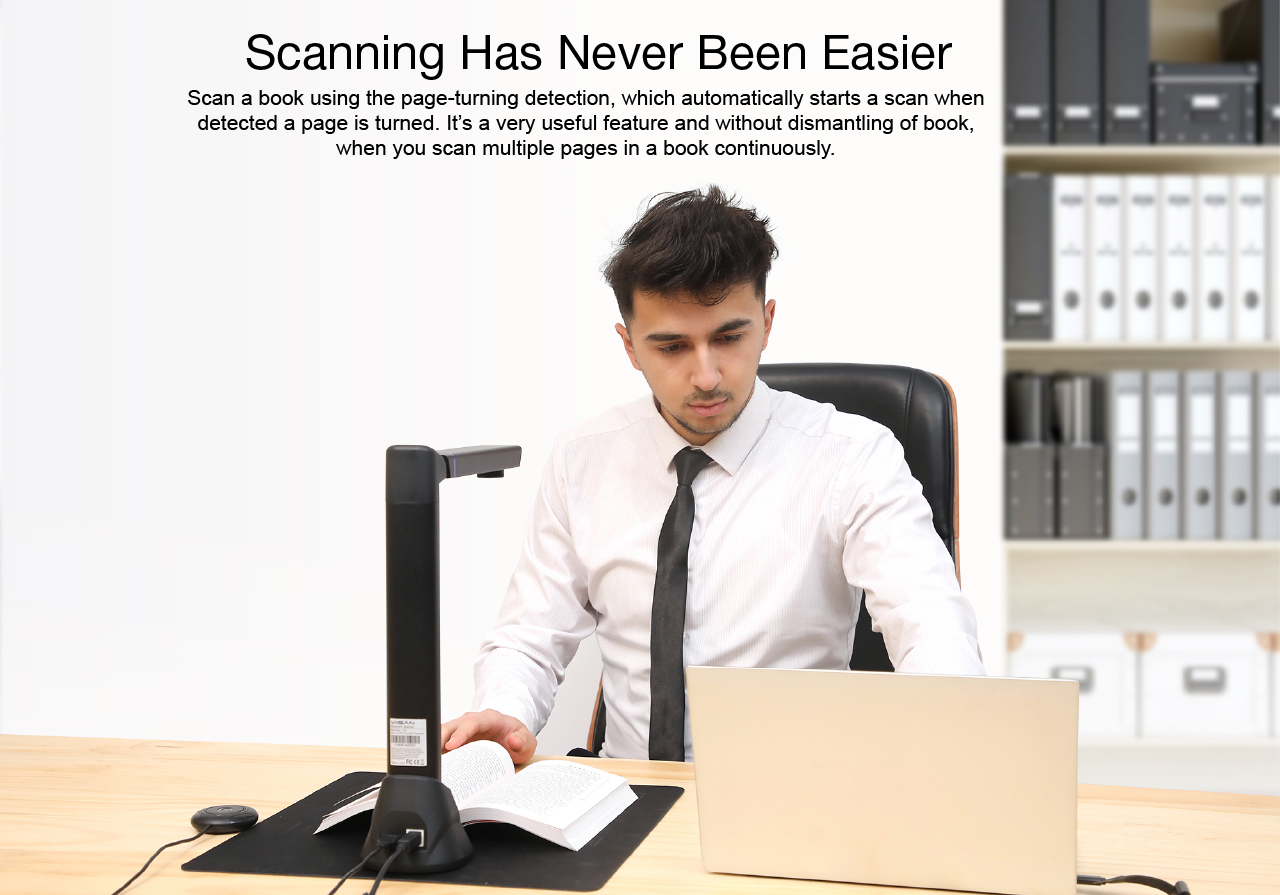
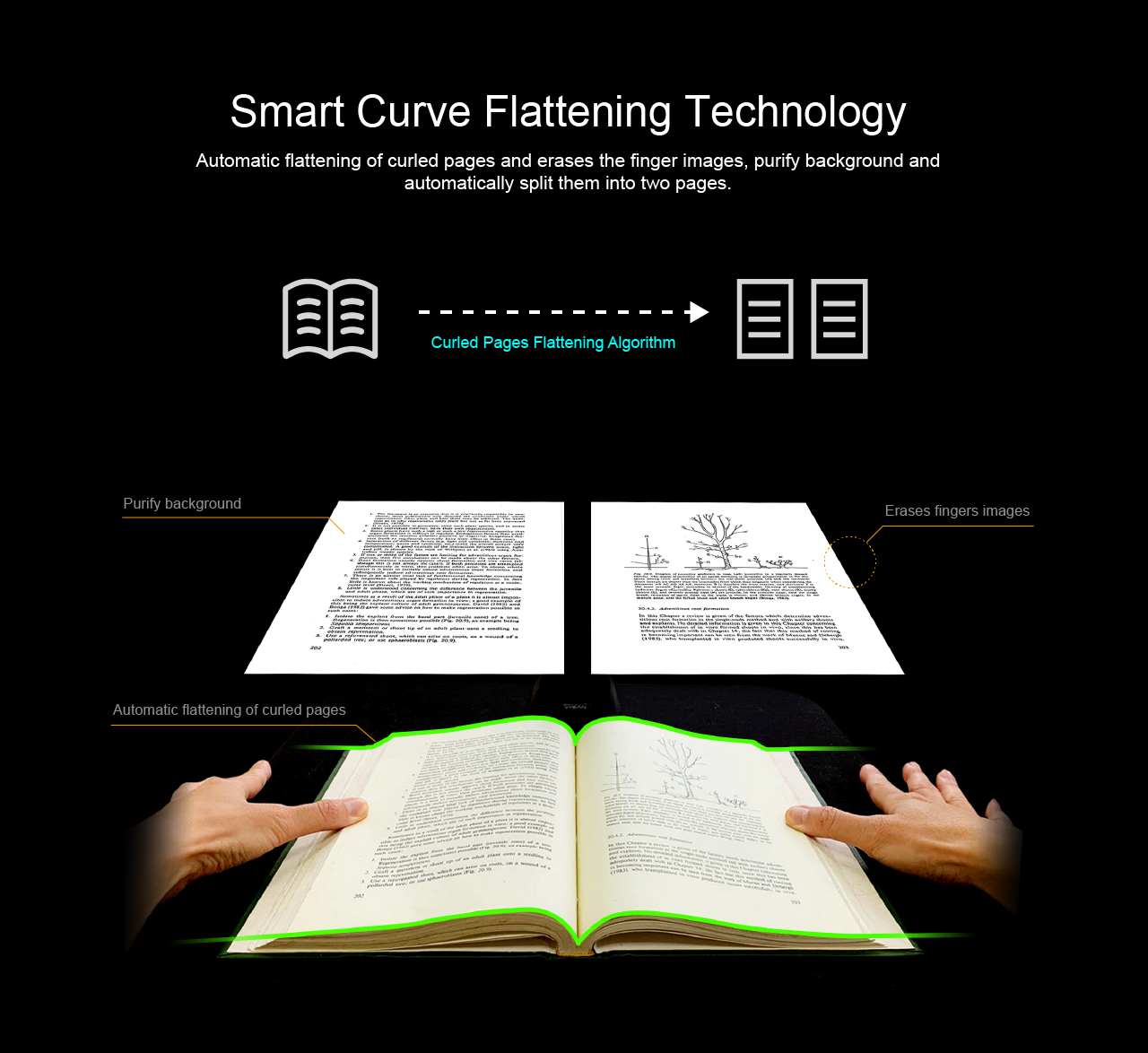
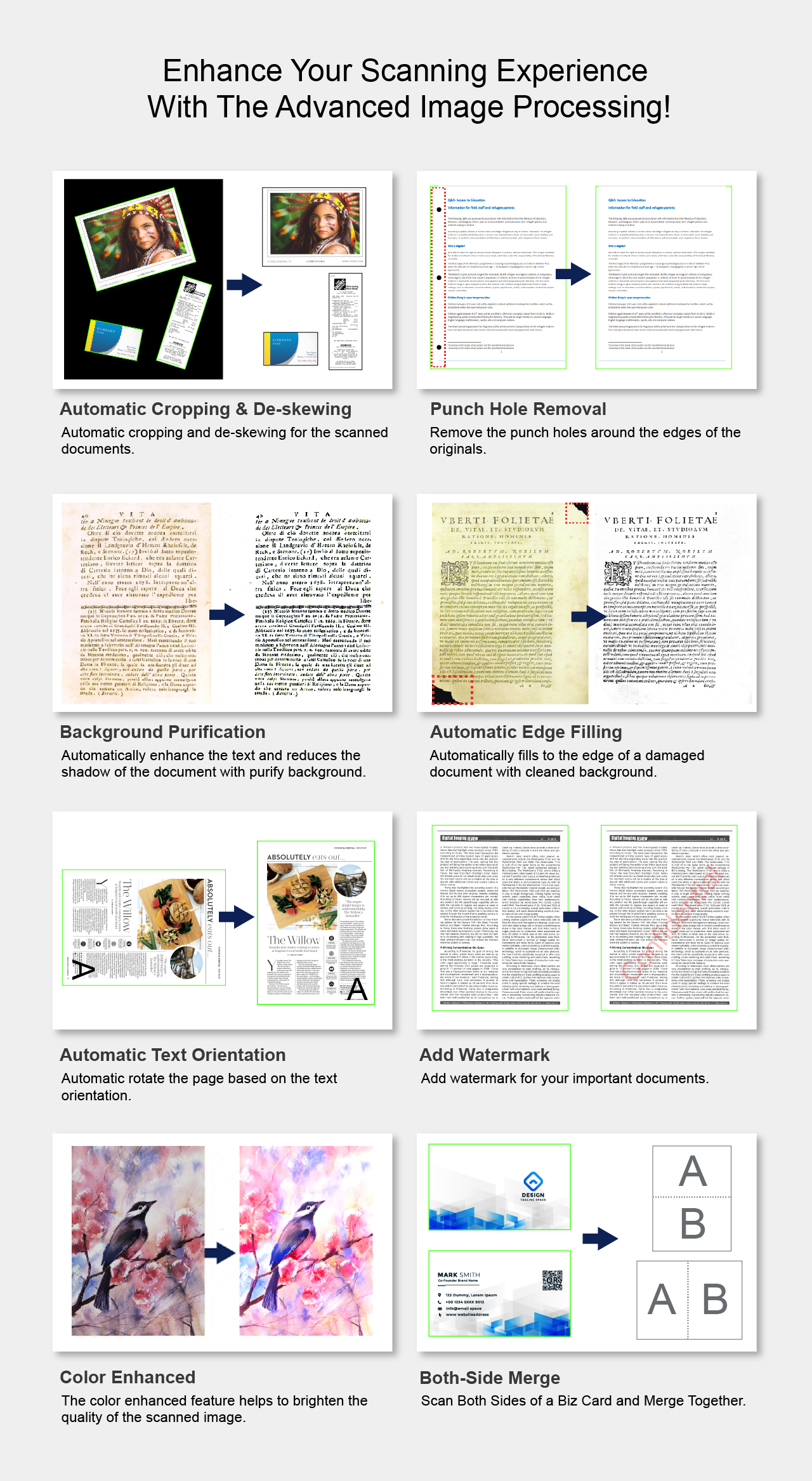
VIISAN OfficeCam helps users capture physical documents and convert them into searchable, editable, translated, and easier-to-read digital content. It is designed for book scanning, office workflows, education, accessibility support, and intelligent document processing.
OCR Document Conversion
Convert scans into searchable PDFs and editable Word, Excel, or TXT files for archiving, editing, and sharing.
AI Image Translation
Translate full scanned images or manually selected areas directly inside OfficeCam without switching tools.
Accessibility Support
Support low-vision and blind users with viewing filters, text-to-speech, and screen reader feedback.
OCR and Document Conversion
Turn Scanned Pages into Searchable and Editable Files
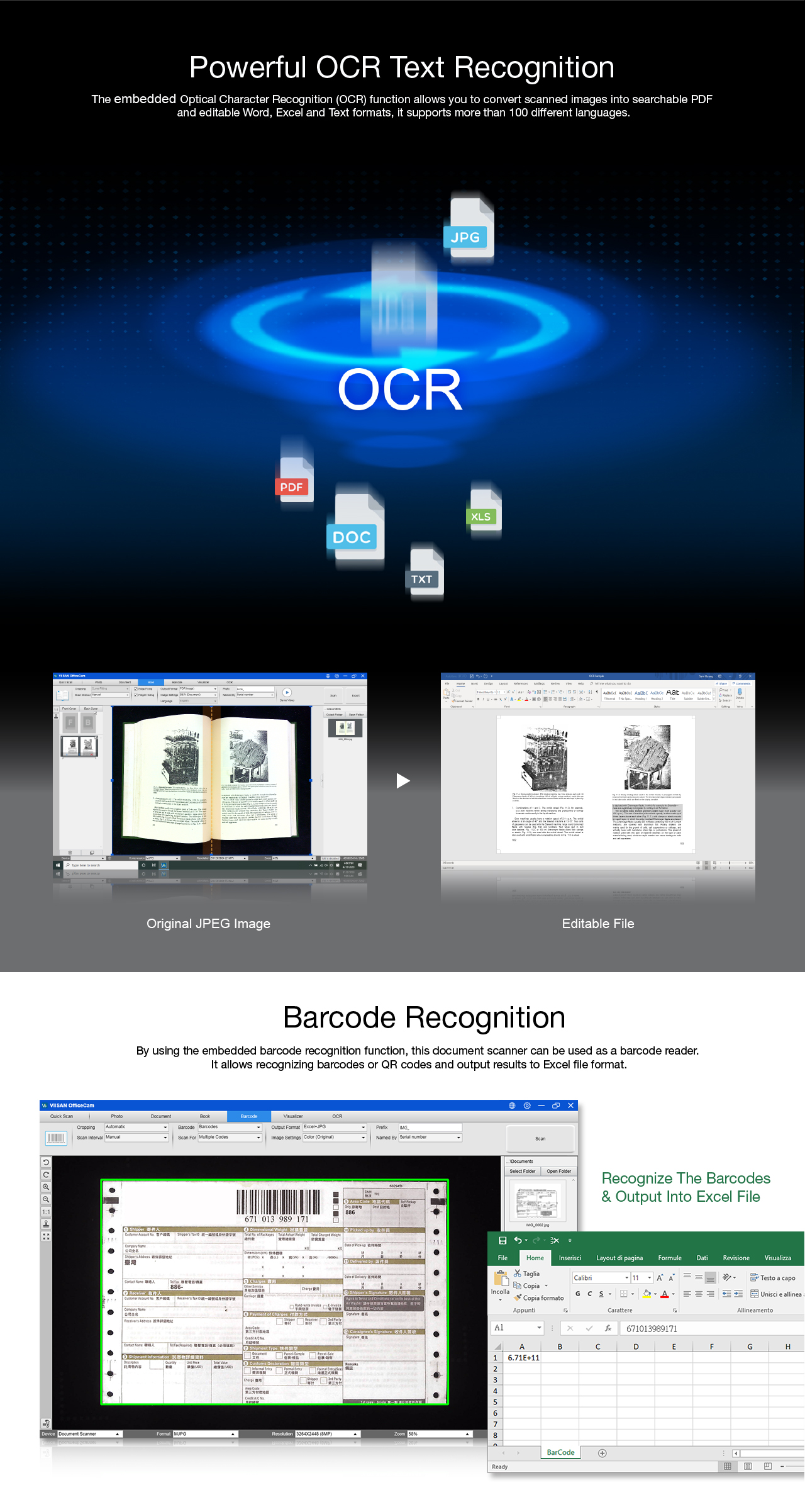
OfficeCam supports OCR-based document conversion, allowing users to create searchable PDFs and editable Word, Excel, or TXT files from scanned books, documents, forms, and teaching materials. It also supports barcode recognition for workflows that require fast data capture and document indexing.
Searchable PDF
Create digital documents that can be searched, archived, and shared more efficiently.
Editable Office Files
Convert scanned content into Word, Excel, or TXT formats for editing and reuse.
Barcode Recognition
Capture barcode information for document management, inventory, and office workflows.
AI Translation
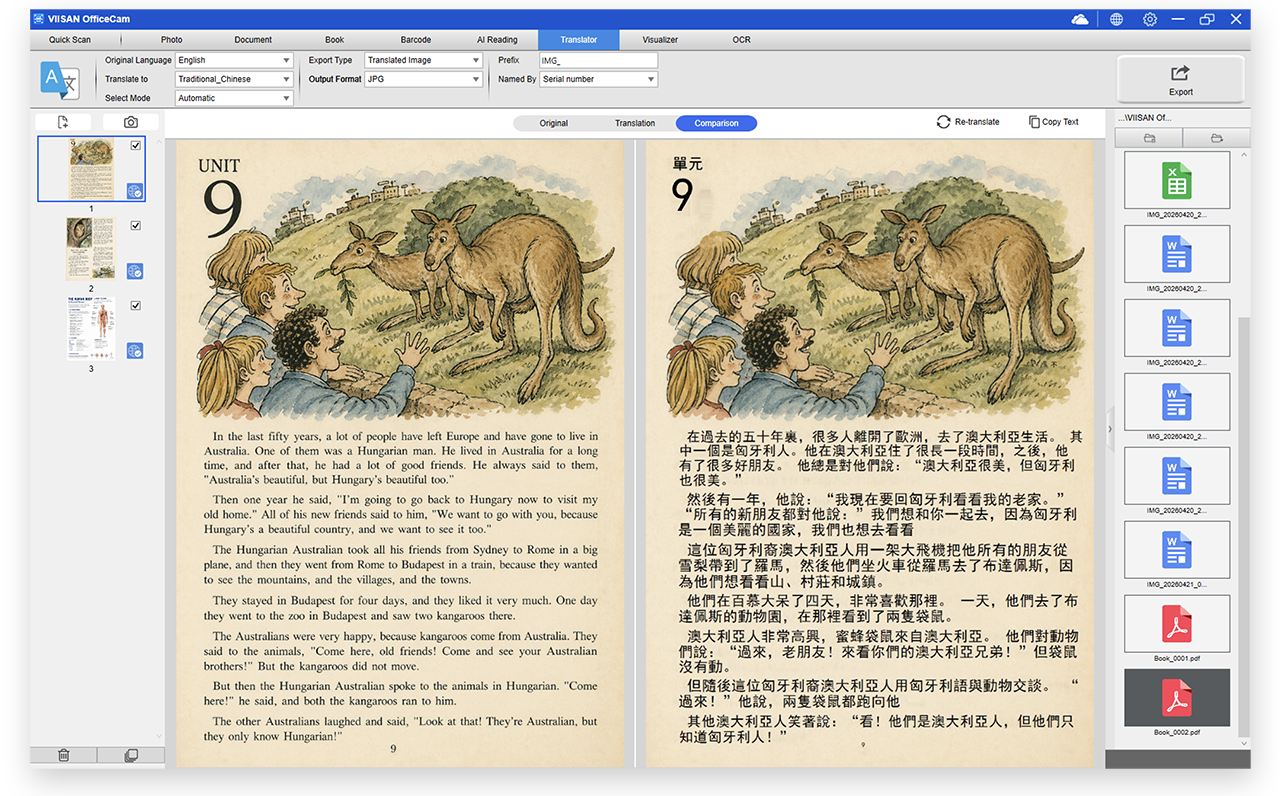
Instant Image Translation — Turn Any Scan into Your Language
Translate full JPEG images or manually select specific areas for instant translation directly within VIISAN OfficeCam. From books and contracts to international documents, users can quickly understand content in another language without switching to extra tools.
Low Vision Support
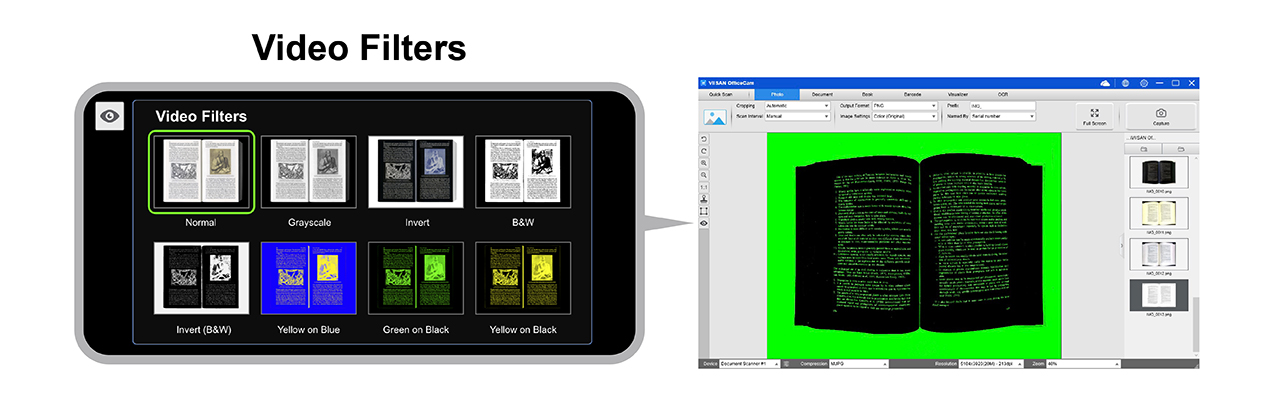
Advanced Video Filters for Low Vision Accessibility
OfficeCam is designed with accessibility in mind. The latest version introduces advanced video filters in Photo mode to support users with low vision, helping improve contrast, visibility, and reading comfort.
Screen Reader
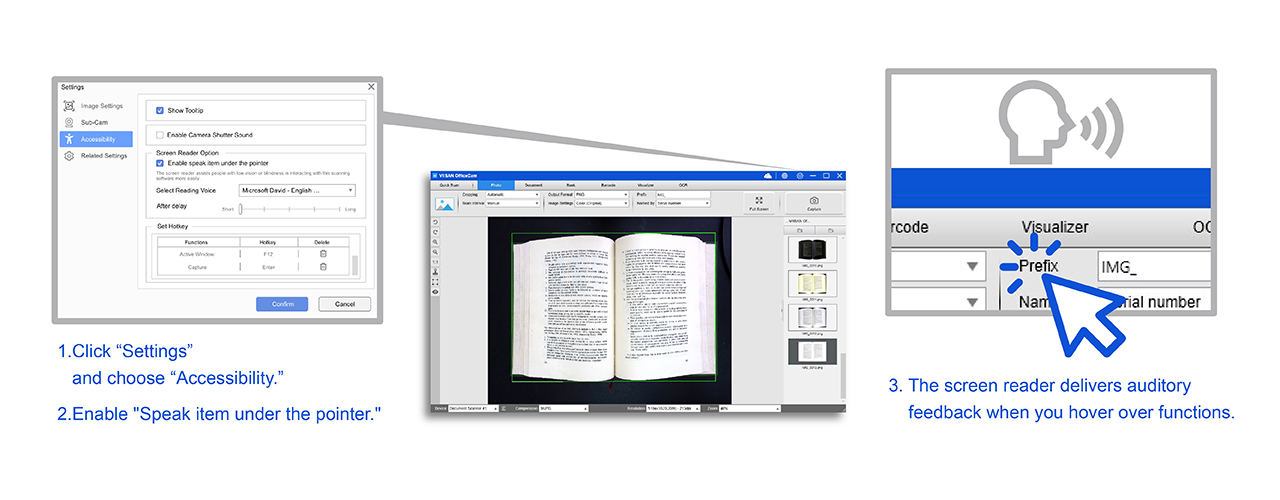
Screen Reader for Enhanced Accessibility
The integrated screen reader enables easier software interaction for users with low vision or blindness. By hovering over software functions, users receive real-time audio feedback, making document scanning and navigation more intuitive and accessible.
Use Cases
Built for Scanning, Reading, Translating, and Archiving
OfficeCam supports a wide range of document camera workflows, from office digitization and book scanning to accessible reading and multilingual document understanding.
Book Scanning
Capture books and printed pages for OCR, reading, archiving, and digital reuse.
Office Documents
Digitize contracts, forms, receipts, reports, IDs, and business paperwork.
Accessibility
Improve readability with filters, TTS, and screen reader support.
Translation
Translate full images or selected areas from books, manuals, reports, and documents.
FAQ
Common questions about VIISAN OfficeCam document scanning software.
What is VIISAN OfficeCam used for?
VIISAN OfficeCam is used for document scanning, book scanning, OCR conversion, searchable PDF creation, barcode recognition, AI image translation, text-to-speech, and accessibility support.
Does OfficeCam support OCR?
Yes. OfficeCam supports OCR conversion for creating searchable PDFs and editable Word, Excel, or TXT files from scanned documents.
Can OfficeCam translate scanned images?
Yes. OfficeCam supports AI image translation for full JPEG images or manually selected areas inside the scanned image.
Does OfficeCam support low-vision users?
Yes. OfficeCam includes low-vision filters, text-to-speech, and screen reader support to improve readability and software navigation.
Make Document Scanning Smarter, More Accessible, and Easier to Use
With OCR conversion, barcode recognition, AI translation, text-to-speech, low-vision filters, and screen reader support, VIISAN OfficeCam helps users digitize, understand, and interact with documents more efficiently.
Contact VIISAN